Disclosure: CuttingTo.com earns a commission from qualifying purchases made through links on this page, at no extra cost to you.
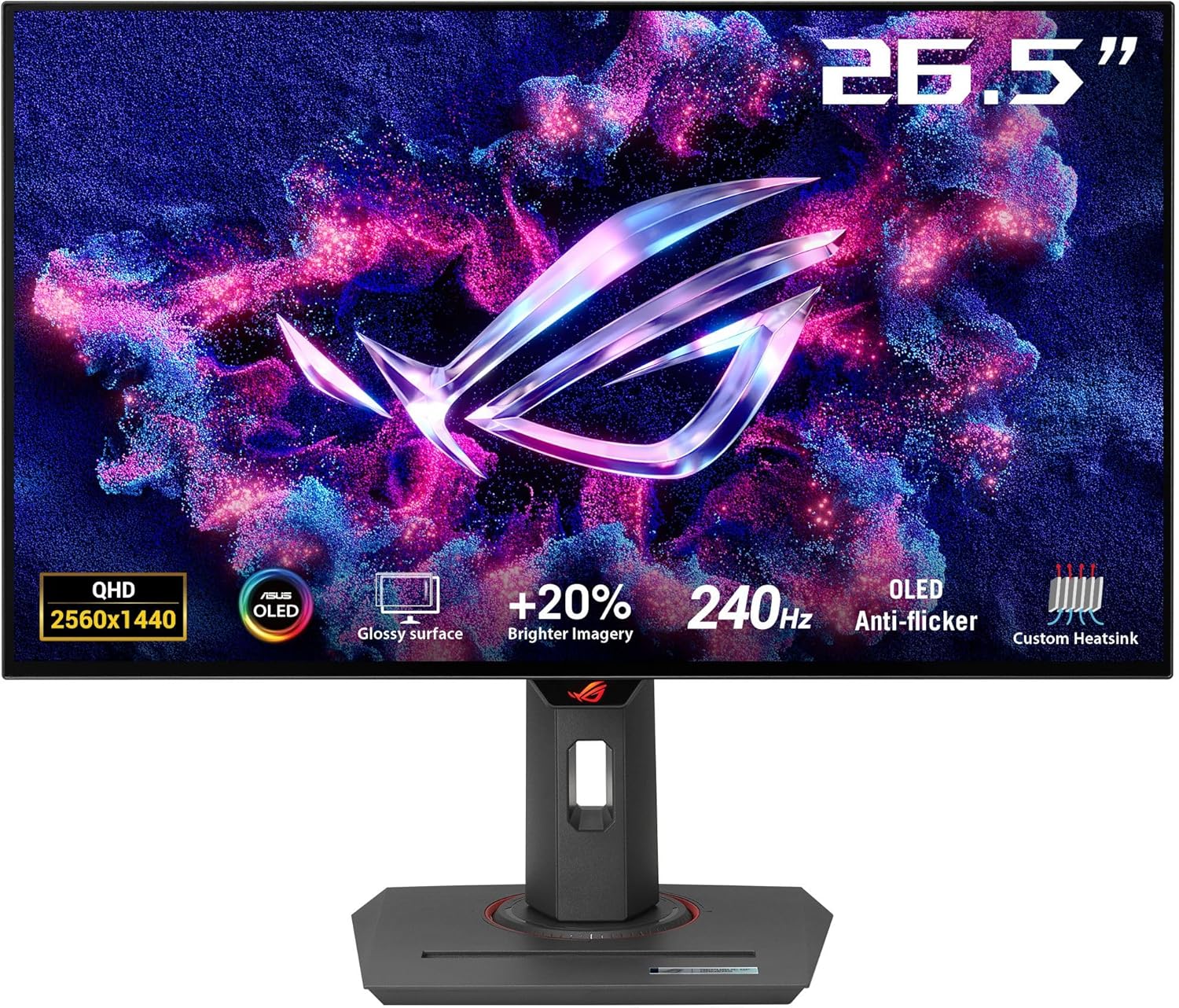
Both of these ASUS gaming monitors run at 240Hz, but they are built for very different buyers. The ASUS ROG Strix XG27AQDMG is a premium 27-inch QHD OLED, while the ASUS TUF Gaming VG32VQM5AZ is a larger 32-inch curved Full HD screen at a much lower price. This comparison explains the trade-offs so you can pick the right one for your games, graphics card and budget.
Choose the ROG Strix XG27AQDMG for the best image quality, fastest response and sharp QHD detail, if your budget and GPU allow.
Choose the TUF Gaming VG32VQM5AZ for a big, immersive curved screen and 240Hz at a budget-friendly price.
Specs at a glance
ROG Strix XG27AQDMG
TUF Gaming VG32VQM5AZ
Size and shape
27-inch, flat
32-inch, 1500R curve
Panel
OLED (glossy)
LCD
Resolution
2560 x 1440 (QHD)
1920 x 1080 (Full HD)
Refresh rate
240Hz
240Hz
Response time (rated)
0.03ms
0.5ms
Color
99% DCI-P3
120% sRGB
Sync
G-SYNC Compatible
FreeSync Premium, ELMB Sync
Price tier
Premium
Budget
Image quality: OLED vs. LCD
OLED pixels light themselves and switch off completely, which gives true blacks and effectively infinite contrast. In dark games and HDR content, the ROG Strix looks dramatically better. The TUF’s LCD panel is bright and colorful for everyday gaming, but cannot match OLED contrast.
Sharpness: resolution and screen size
QHD has about 78% more pixels than Full HD. On a 27-inch screen, that means crisp text and fine detail. Full HD stretched across 32 inches gives noticeably lower pixel density, so text and distant objects look softer, especially if you sit close. The upside: Full HD is much easier for mid-range graphics cards to run at 240 frames per second.
Motion clarity and responsiveness
Both refresh at 240Hz, which is excellent for shooters like Valorant, Counter-Strike 2 and Apex Legends. OLED’s near-instant pixel response gives the ROG Strix clearer motion with less blur. The TUF’s 0.5ms rated response and ELMB Sync are still quick for competitive play. A fast mouse completes the setup; see our Razer Viper V4 Pro review.
Immersion
The TUF’s large 1500R curve wraps around your view, which suits racing, flight sims and open-world games. If immersion matters more than sharpness, it is a strong choice.
Things to consider
Graphics card: hitting 240 fps at QHD needs a powerful GPU. Full HD at 240 fps is easier.
OLED care: OLED can be prone to burn-in with static images over long periods. ASUS includes protective features and a heatsink, but varying your content is still wise.
Glossy screen: the ROG’s glossy finish looks vivid but can reflect lamps and windows.
Desk space: a 32-inch curved monitor needs a deeper desk.
Which should you buy?
Pick the ASUS ROG Strix XG27AQDMG if you:
Want the best picture quality and HDR
Have a strong GPU that can drive QHD at high frame rates
Also edit photos or video and value wide color coverage
Pick the ASUS TUF Gaming VG32VQM5AZ if you:
Want a big curved screen on a budget
Use a mid-range graphics card
Play racing, simulation or competitive esports titles
Frequently asked questions
Is 1080p on a 32-inch monitor too low?
It is noticeably softer up close, especially for text. Many gamers accept it for the size and price, particularly for fast games.
Is OLED worth the extra money?
If image quality and dark-scene performance matter to you, yes. For pure competitive play on a budget, a fast LCD is still a sensible choice.
Final verdict
The ROG Strix XG27AQDMG is the better monitor overall thanks to its OLED panel, QHD sharpness and outstanding motion clarity. The TUF Gaming VG32VQM5AZ is the better value, giving you a large 240Hz curved screen for much less.